

How do you plan a repeat order so every rebuild matches the original? North American equipment brands face a real risk here. One revision mismatch, one stale drawing, or one drifted part number can stall your line and break a customer commitment. Buyers want a stable process, yet each rebuild often brings fresh material numbers and quality swings.
This guide gives you a step-by-step workflow for repeat PCBA orders and OEM PCB assembly. You will verify the baseline, confirm firmware and tooling, manage material changes, secure supplier acknowledgment, run a six-step review, and watch for escalation signals. Follow it, and your next repeat PCBA order starts from a locked, traceable baseline—so your OEM PCB assembly runs stay consistent from build to build.
Key Takeaways
Build a repeat order checklist from your last build to keep every rebuild consistent.
Track material changes and plan long-lead parts with forecasts to avoid delays.
Issue a baseline package and get written supplier acknowledgment before buying material.
Run a six-step review with your supplier to confirm every detail before release.
Use first-article inspection and version lock to ensure each order matches the approved baseline.
Build a Repeat PCB Assembly Order Checklist
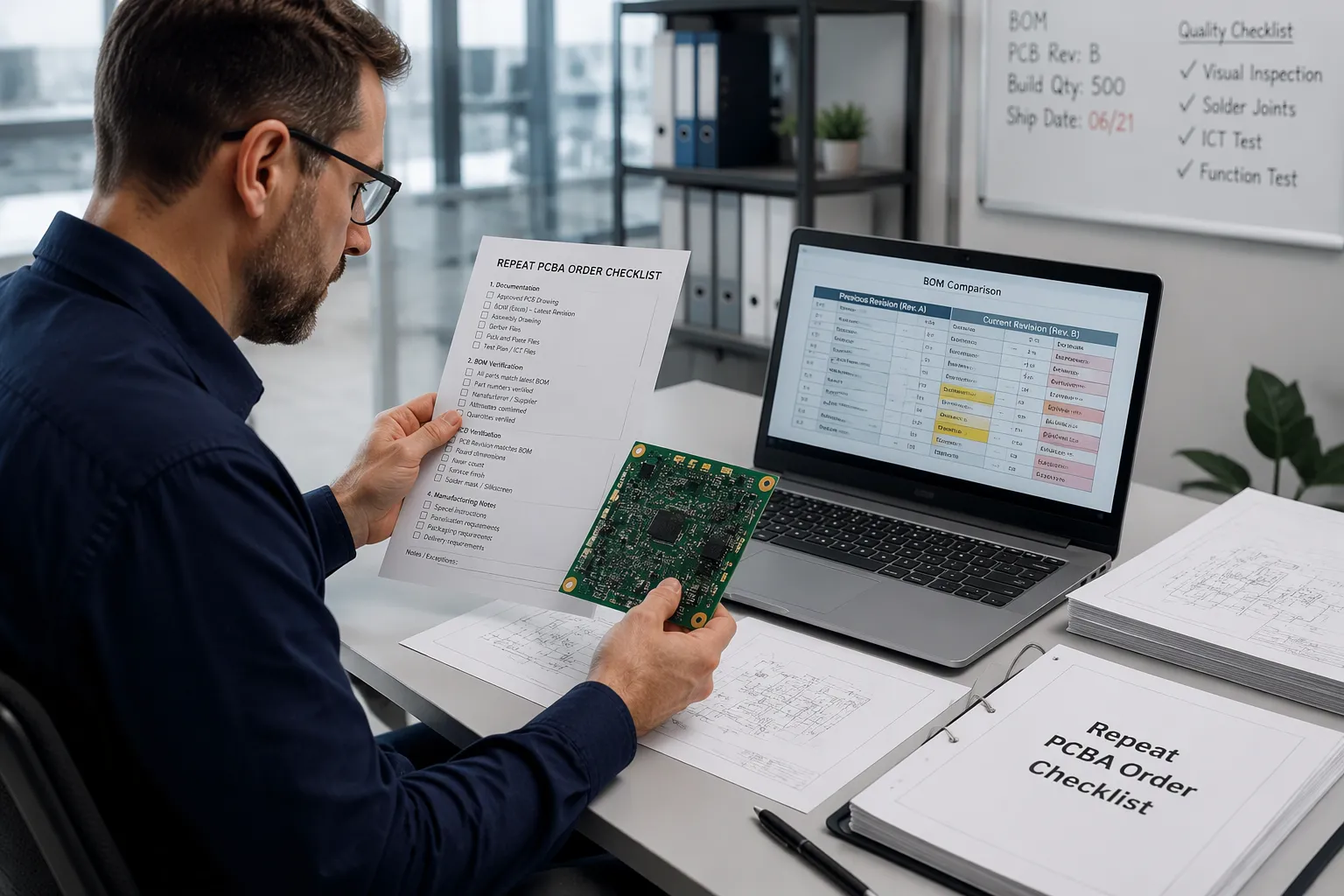
Your previous order is the single source of truth. Pull its board revision, BOM, firmware, test program, and tooling records into one repeat PCB assembly order checklist. That document becomes the reference for every future build. VeryPCBA clarifies the BOM, board version, and batch requirements at the first order, so consistency carries into each repeat order. Repeat PCBA orders and OEM PCB assembly both depend on this discipline. A checklist built from the last shipment beats a checklist rebuilt from memory. Name one owner for the file. One owner keeps the version current and the approvals visible.
Verify revisions and drawings
Start with the released package from the last build. Compare the BOM and assembly drawing against the previous build record, line by line. Run a previous-versus-current comparison on every part number, reference designator, and value. Flag any difference, even a minor one. Confirm the PCB revision matches the fabrication drawing. Check that the as-built record reflects what actually shipped, not what was planned. This step protects revision traceability across builds.
A missing note or a stale drawing at this point becomes a defect later. Suppose engineering changed a connector footprint after the first run. The old drawing still shows the original part. Your checklist catches the mismatch before the fab house cuts panels. Without that check, the error surfaces at first article, and the schedule slips.
Record the outcome of each comparison in one place. Note the approver, the date, and the reason for any change. This record answers questions months later, when the next repeat order starts. It also gives your OEM customer a clear audit trail. Store the checklist with the build package. Anyone who opens the package sees the checklist first.
Confirm firmware, test software, and tooling
Lock the firmware version before you touch test equipment. Confirm the test program matches that locked firmware. A test program built for an older release can pass bad boards or fail good ones. Verify fixture IDs and calibration status for factory equipment accessories and test tools. Record each fixture ID on the checklist. Check hardware/variant compatibility when one product family shares a test platform.
Tooling deserves the same rigor as the BOM. A test fixture without a recorded ID is a fixture you cannot trace. A calibration sticker past its date is a risk you cannot see. List every fixture, its ID, and its calibration status in the checklist. Confirm the test program revision against the locked firmware revision. Mismatches here produce false failures, and false failures burn engineering hours. Book calibration slots before the build window opens. A fixture out for calibration stalls the whole production run.
Resolve every deviation and confirm every revision before production restarts. Unresolved questions at this stage turn into errors on the line on the floor. Your repeat PCB assembly order checklist is complete only when every item carries a confirmed status. A clean PCB assembly run starts with a clean checklist, not with luck.
Treat the checklist as a living document. Update it after each build. Add the lessons from every deviation. Over time, it becomes the most valuable file in your repeat order process.
Handle Material Changes on a Repeat PCB Assembly Order
Track deviations and substitutions
Every change between builds needs a paper trail. Log each approved substitution in a deviation register. Record the original part number, the replacement, the reason, and the approver. Attach that register to the approved BOM. This practice keeps material traceability intact across every repeat order.
Suppose a capacitor goes obsolete between runs. Your register shows the approved alternate, the date, and who signed off. Without that record, the next buyer sees a BOM that no longer matches the shelf. With it, the pcb assembly order stays auditable. Route every substitution through formal engineering-change approval before release. An unapproved swap breaks the approved configuration and undermines the pcb assembly.
Plan long-lead parts with forecasts
Flag long-lead components at the quote stage, not at the build stage. Share a rolling demand forecast with your supplier. Lock the approved version of each critical part before you release the repeat purchase order. Standard fabrication runs about 4 weeks, plus additional assembly days. Prototypes often finish within 2 weeks. Plan your repeat order around those windows.
One-stop PCBA services can include component procurement with approved substitutions. That coverage removes a common bottleneck for OEM equipment brands. A strong OEM partner confirms the bom and assembly drawing against the last build before committing material. Version lock protects you here. Confirm the locked board, BOM, and part revisions before the supplier buys stock. A forecast without a lock invites drift. A lock without a forecast invites delay. Run both together on every repeat order.
Issue the Repeat-Order Baseline for OEM PCB Assembly

The baseline package turns your checklist into a formal release. It contains the released manufacturing package: the bom and assembly drawing, the board version, batch requirements, firmware and test revisions, fixture IDs, and the deviation register. VeryPCBA builds this package from the first order, so clear BOM, board version, and batch requirements carry forward and block material and quality fluctuations between runs. Send the package to your supplier and request written acknowledgment before anyone buys material. That signature is your supplier acknowledgment and restart evidence.
Run the six-step review
Walk the six-step repeat-order review with your supplier on a call, not over scattered emails:
Compare the BOM against the previous order, line by line.
Run the previous-versus-current comparison on every board and drawing revision.
Match firmware and test program revisions.
Check tooling and fixture IDs against calibration records.
Review material substitutions and open deviations.
Collect supplier sign-off on the approved baseline.
Each step produces a recorded result. The released package is not final until step six closes.
Watch escalation signals
Some signals demand a pause, not a push. Treat these as stop signs:
An engineering question sits unanswered past its promised date.
A substitution remains unconfirmed in the deviation register.
A fixture ID is missing from the tooling list.
A board or BOM revision does not match the as-built record.
Any one of these signals means the current assembly baseline is not locked. Escalate to your engineering owner the same day. A short delay now costs far less than a stalled line later.
Clear communication from RFQ review through production supports reliable repeat orders. Share the baseline package early, ask direct questions, and confirm answers in writing. That habit keeps every repeat purchase order anchored to a controlled baseline. For OEM equipment brands, this discipline is what separates a smooth rebuild from a costly surprise. VeryPCBA applies the same package discipline to repeat PCBA orders and oem pcb assembly work, so each pcb assembly order and every pcb assembly run starts from a known state. Issue the baseline, get the signature, and only then release the repeat order. Run the same six checks on the next repeat order, and the one after that.
Confirm Readiness for Repeat PCBA Orders
Apply batch sampling and version lock
Sampling proves the process, not just the parts. Run a first-article inspection on the first unit of every repeat order. Compare it against the approved baseline, dimension by dimension. Then move to lot sampling at a rate your quality plan defines. Add SPI, AOI, and X-Ray inspection where the build calls for it. Fine-pitch parts and hidden joints reward X-Ray. Solder paste volume rewards SPI. High-reliability PCB assembly often follows IPC Class 3 standards, and that discipline keeps results consistent across orders.
Full PCBA services can include enclosure installation, testing, labeling, and packaging. Fold those steps into production readiness, not into a separate afterthought. A unit that passes electrical test but ships in the wrong enclosure still fails the customer.
Version lock closes the loop. Confirm the locked board, BOM, firmware, and test revisions before release. The released package must match the released configuration exactly. Any gap between the two breaks the approved configuration and weakens your controlled baseline.
Treat the repeat-order baseline as a contract with yourself. Your repeat pcb assembly order succeeds when the released configuration matches what the line actually builds. VeryPCBA applies this same lock to repeat PCBA orders; oem pcb assembly work benefits from the identical discipline. For any oem equipment brand, a locked repeat order protects revision integrity. A locked repeat order also protects supply continuity. Run the lock check on every repeat order, and the approved baseline stays intact.
Your repeat order succeeds on discipline, not luck. Start with the repeat pcb assembly order checklist and lock the repeat-order baseline. Plan material changes and long-lead parts against a forecast. Collect supplier acknowledgment and restart evidence in writing. Then run the six-step repeat-order review before release. Close with batch sampling and a final version lock.
This workflow protects revision integrity and supply continuity. North American equipment brands depend on that stability for every oem rebuild. Each repeat order carries the same approved configuration from quote to shipment.
Run your next repeat order against the assembly order checklist. Contact our team for a baseline review of your repeat pcba orders; oem pcb assembly planning starts with a locked package, and a clean pcb assembly run follows.
FAQ
How do you keep part numbers and quality stable between builds?
Lock the approved BOM, board version, and batch requirements at the first order. VeryPCBA clarifies these three items up front, so each repeat order starts from a known configuration. A deviation register and written supplier acknowledgment then block material drift between runs.
Why does a stable repeat purchase process matter for North American buyers?
Buyers commit to delivery dates with their own customers. A revision mismatch or a drifted part number stalls the line and breaks those commitments. A locked baseline protects supply continuity, and that stability matters for every oem rebuild, from industrial controls to portable power stations.
What should you confirm before releasing a repeat order?
Confirm four items: the board revision, the BOM against the previous build, the firmware and test program match, and the fixture IDs with calibration status. Collect supplier sign-off on all four. Any open item means the baseline is not locked, so hold the release.
How do you handle a part that goes obsolete between builds?
Log the approved substitution in the deviation register with the original part number, the replacement, the reason, and the approver. Route it through formal engineering-change approval. Flag long-lead parts at the quote stage and share a rolling forecast, since fabrication runs about 4 weeks.
Which inspection steps prove repeat-order readiness?
Run a first-article inspection on the first unit of every repeat order, then lot sampling at a rate your quality plan defines. Add SPI, AOI, and X-Ray inspection where the build calls for it. High-reliability pcb assembly often follows IPC Class 3 standards for consistency.
See Also
Tailored AI PCBA Production Services for Electronics Firms in Mexico
Bespoke Edge AI PCBA Solutions for American Hardware Startup Companies
Original Equipment AI PCBA Production for Electronics Manufacturers in Poland
Artificial Intelligence Inspection PCBA Services for Mexican Industrial Manufacturing Facilities
Personalized AI PCBA Solutions for Czech Republic Industrial Electronics Sector