
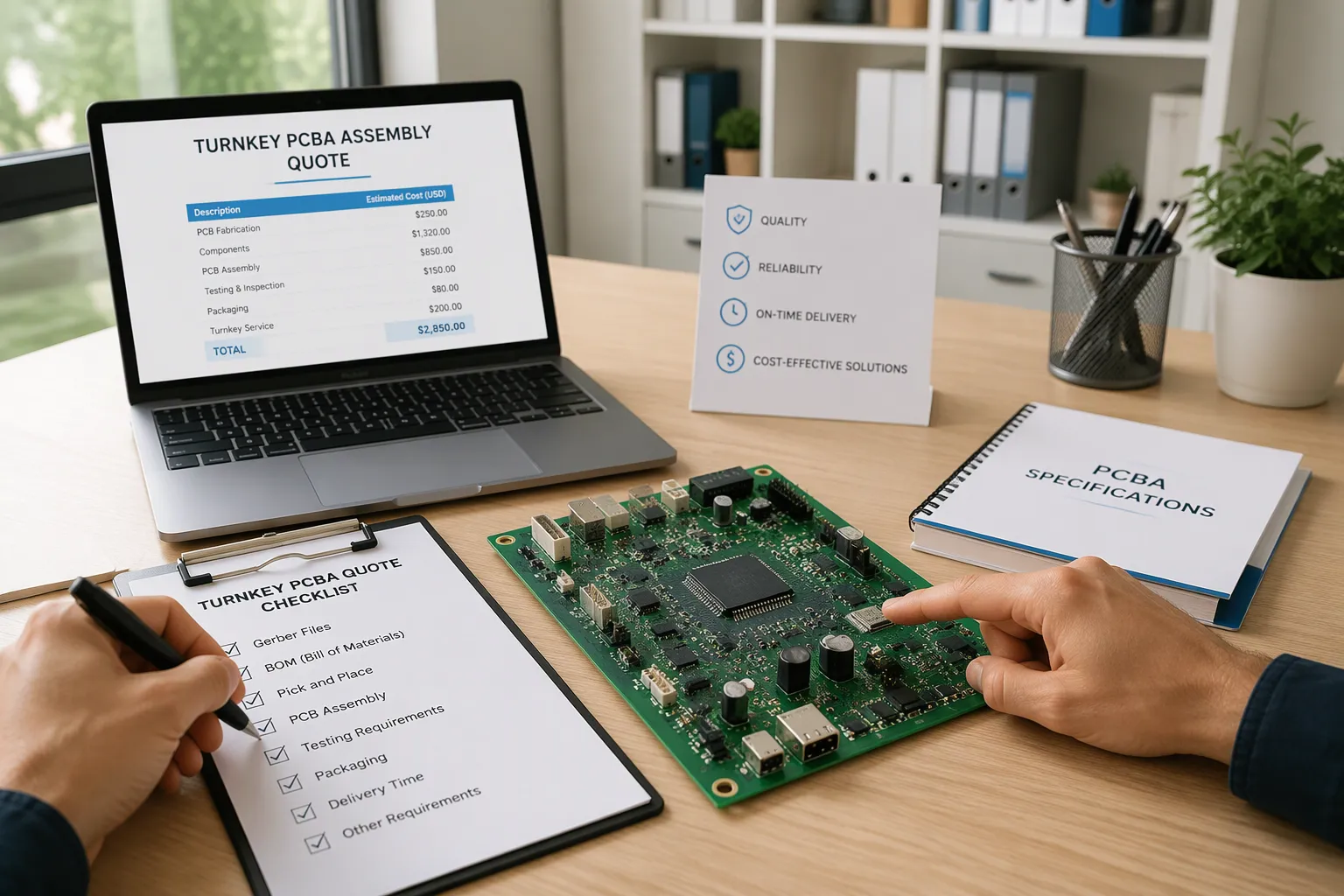
A turnkey PCBA quote typically requires five items: a BOM, Gerber or ODB++ files, a CPL/centroid file, assembly drawings, and clear build notes. These PCB assembly files give your manufacturer everything needed to price components, fabrication, and assembly with confidence.
Missing or incomplete files are the most common cause of quote delays and cost revisions. A missing reference designator or an outdated centroid file forces the supplier to pause, ask questions, and re-quote later.
This guide serves engineers and procurement specialists who prepare files for turnkey PCB assembly. You will learn what each document must contain, which formats suppliers accept, and how to catch errors before you submit a PCB assembly quote request. Treat it as a working checklist for your next turnkey PCBA quote.
Key Takeaways
Gather five key files for a turnkey PCBA quote: BOM, Gerber or ODB++ files, CPL, assembly drawings, and build notes.
Include manufacturer part numbers and reference designators in your BOM to help suppliers source parts accurately.
Check that your CPL matches your BOM exactly to prevent placement errors and rework.
Provide clear assembly drawings and build notes so the manufacturer understands your build requirements.
Submit all files together with quantity, timeline, and quality standards to get a fast and accurate quote.
Full Turnkey PCB Assembly and PCB Assembly Files
What Full Turnkey PCB Assembly Covers
Full turnkey PCB assembly means your manufacturer sources the components and handles fabrication, assembly, and test under one contract. You send design data once. The supplier returns finished boards. This model removes the split responsibility that appears when you buy parts, bare boards, and assembly from three different vendors.
How PCB Assembly Files Shape the Quote
File completeness drives both pricing accuracy and lead time. A complete package lets the supplier price components, tooling, and labor in a single cycle. An incomplete package triggers clarification rounds, and each round pushes the promised date further out.
The table below shows how submission quality changes the quote outcome.
A clean set of PCB assembly files also protects you from surprise charges later. Your itemized turnkey pcba quote will only match the final invoice when the inputs match the build. Treat file preparation as the first step of the pcb assembly quote, not an afterthought. Every turnkey pcb assembly project rewards that discipline, and a well-organized turnkey pcb assembly package shortens the path from design to delivery.
BOM for a Turnkey PCBA Quote
Required BOM Elements
The bill of materials is the pricing engine of your request. Your supplier reads it to source every part, so a quote-ready bom must be complete line by line. A partial list forces the sourcing team to guess, and guesses turn into revised pricing later.
Build your BOM with manufacturer part numbers, not internal codes alone. Each row needs five columns, and the table below shows what belongs in each one.
Column | What to enter |
|---|---|
Reference designators | Every designator on the board, such as R1–R24 or U1–U6 |
Quantity | The count per assembly, matching the designators |
Manufacturer part number | The exact ordering code from the datasheet |
Description | Value, tolerance, and dielectric where relevant |
Package | Footprint type, such as 0402, SOIC-8, or QFN-32 |
A bom with manufacturer part numbers removes ambiguity at the sourcing desk. Include the full ordering code, including suffixes that define tolerance, packaging, or temperature grade. Two parts can share a base number and differ only in that suffix.
Alternate Part Rules and Approved Vendor List
Supply chain gaps appear without warning. State your approved alternates or substitution rules upfront, and your supplier can keep the turnkey pcb assembly schedule intact instead of pausing for approval. Name acceptable second sources, or confirm that no substitution is allowed for critical parts.
An approved vendor list supports the same goal. It tells the buyer which manufacturers you accept, which matters for regulated products and for designs with tight electrical margins. Attach the list to your bom data and flag any part that requires a specific brand.
A clean BOM also shortens the pcb assembly quote cycle for full turnkey pcb assembly projects. Review every line before you submit, and your turnkey pcb assembly order starts on solid ground.
Gerber and ODB++ Files
Common Formats and Layer Data
Fabrication and assembly data travel in three accepted formats: RS-274X Gerber, ODB++, and IPC-2581. RS-274X remains the most widely used option, and most CAD tools export it without extra setup. ODB++ packages the full board database in one folder, which suits complex designs. IPC-2581 carries fabrication and assembly intent in a single file and follows a published IPC standard. Send gerber or odb++ files in whichever format your CAD tool produces cleanly, and confirm the format with your supplier before you upload.
A complete gerber set includes one file per layer. The table below lists the standard extensions and what each one carries.
Extension | Layer content |
|---|---|
| Top copper |
| Top solder mask |
| Top paste |
| Top silkscreen |
| Bottom copper |
| Bottom solder mask |
| Bottom paste |
| Bottom silkscreen |
| Board outline |
Drill files | Plated and non-plated holes |
Multilayer boards need inner-layer copper files in addition to this list. Name each inner layer clearly so the fabricator maps it to the correct stackup position.
Upload and File Size Notes
Online quoting tools usually accept gerber files as a zip or rar archive. Many portals cap the upload at 50MB, so compress the folder before you submit. Check that the archive opens cleanly and that every layer file appears inside it.
A quick layer count catches most upload problems. Compare the files in your archive against your stackup drawing before you send them. This step matters for full turnkey pcb assembly orders, where the same package drives both board fabrication and component placement. Pair the archive with your bom so the supplier can price the whole turnkey pcb assembly scope in one review.
CPL and Centroid Files
Purpose of the Component Placement List
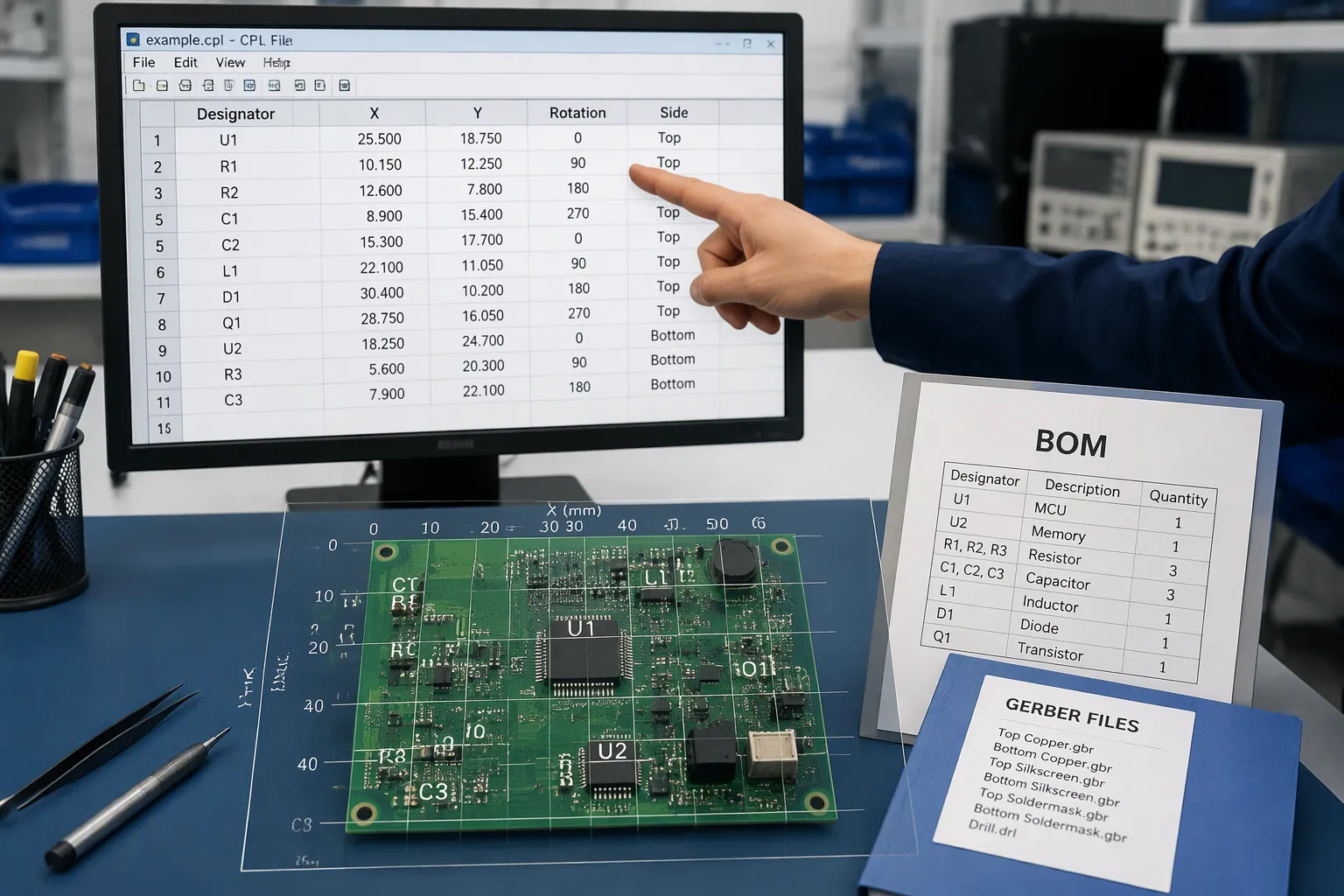
The CPL tells the assembly machine where every component sits on the board. Each row pairs a reference designator with an X and Y coordinate, a rotation angle, and a board side. Your supplier loads this data into the pick-and-place program, and the machine then places each part at the exact location your design specifies.
Think of the pick-and-place or centroid file as the bridge between your CAD layout and the physical build. The Gerber set defines the copper and mask layers, and the BOM defines which parts to buy. Only the placement data tells the machine where those parts belong. A full turnkey pcb assembly order depends on all three files agreeing with each other.
Export the placement data directly from your CAD tool. Hand-edited spreadsheets invite transcription errors, and those errors surface as misplaced parts on the finished board.
Common CPL Errors to Avoid
Most placement problems trace back to a handful of repeatable mistakes. The table below lists the frequent ones and the fix for each.
Error | Fix |
|---|---|
Rotation offset between CAD and machine libraries | Confirm the zero-rotation convention with your supplier |
Missing or duplicated designators | Cross-check every row against the BOM |
Wrong board side for bottom-mounted parts | Verify the side column for each row |
Units listed as mils instead of millimeters | Set the export unit explicitly |
Rotation offsets deserve special attention. Your CAD library and the assembly machine library may define zero degrees differently for the same package. A part rotated 90 degrees off will land sideways, and rework follows. Send one sample board or a clear orientation note when your design uses unusual footprints.
Cross-check the designators in your cpl / pick-and-place file against your bom before you submit. Every designator in the placement data must appear in the BOM, and every BOM line must appear in the placement data. This single check catches most submission errors. A clean pick-and-place file keeps your turnkey pcb assembly quote on schedule and your build free of placement rework. Review the pick-and-place data one final time after any last-minute design change, because stale coordinates cause the same failures as missing ones.
Assembly Notes, Programming, and Test Instructions
Assembly Drawings and Build Notes
An assembly drawing shows the assembler what the board should look like when it is finished. It marks component locations, polarity, and any part that needs special handling. Pair it with a one-page build specification, and you remove most of the guesswork from the build.
That one-page spec states your intent in plain terms. List the solder type, the conformal coating requirement, and any cleaning rule. Name the acceptance standard you expect, such as IPC-A-610 Class 2. Add a note for every nonstandard step, including press-fit parts or hand-soldered connectors. A clear assembly drawing plus a short spec keeps your turnkey pcb assembly quote accurate and your first-article review short.
Programming and Test Instruction Essentials
Many boards ship with firmware already loaded. Send the firmware file in its final release version, and state the programming method your device expects. Note the programming header location and any security step, such as locking the readout after flashing.
Test instructions complete the package. Mark each test point on the drawing and describe the expected reading at that point. Write the functional test steps in order, and give a pass and fail limit for each one. The table below lists the essentials.
Input | What to provide |
|---|---|
Firmware | Final release file and version number |
Programming method | Header type, tool, and any lock step |
Test points | Location and expected value for each |
Functional test | Ordered steps with pass and fail limits |
Clear test data lets your supplier catch defects before shipment. It also protects your full turnkey pcb assembly schedule, because failed units surface at the bench instead of at your customer site. Attach the test plan to your bom package so the review team sees the whole scope at once.
Additional PCB Assembly Quote Inputs
Quantity, Timeline, and Quality Standards
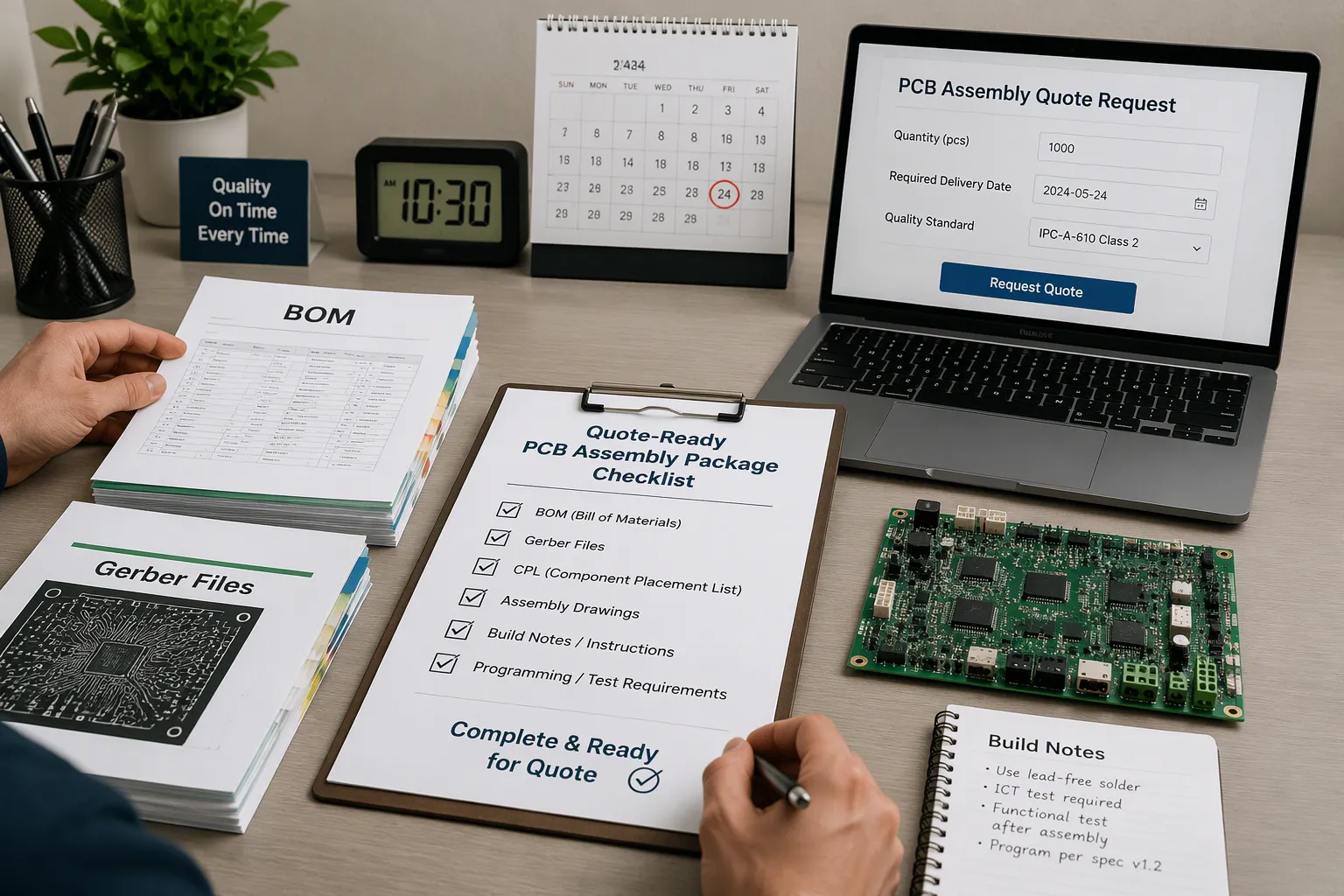
Three commercial inputs complete the technical file set: order quantity, required delivery date, and the quality standard your product must meet. Each one moves the price, and each one moves it differently.
Quantity sets the sourcing tier. A prototype run of ten boards and a production run of several thousand boards draw from different supplier channels, so state your expected volume and any forecast beyond the first order. Your supplier can then quote the correct price break instead of pricing a guess.
Timeline shapes the component strategy. A standard lead time allows normal distributor sourcing. A compressed schedule may require expedited parts or approved alternates, and that trade-off belongs in the quote, not in a later change order. Give your target ship date and flag any hard deadline, such as a trade show or a customer commitment.
Quality standards define the acceptance criteria. Name the standard you expect, such as IPC-A-610 Class 2 for general electronics or Class 3 for high-reliability products. Add any certification your end market requires. A clear standard lets the supplier price inspection and test effort accurately, and it prevents disputes at first article.
Quote-Ready PCB Assembly Package Checklist
A complete submission removes the clarification rounds that stall most requests. The checklist below covers every input discussed in this guide.
Input | What to include |
|---|---|
BOM | Reference designators, quantities, manufacturer part numbers, descriptions, packages, approved alternates |
Gerber or ODB++ | Full layer set, drill files, board outline, compressed archive |
CPL | Designator, X/Y coordinates, rotation, board side, matched to the BOM |
Assembly drawings | Component locations, polarity, special handling notes |
Build notes | Solder type, coating, cleaning, acceptance standard |
Programming and test | Firmware release, programming method, test points, functional test steps |
Commercial terms | Quantity, target date, quality standard |
Run one final cross-check before you submit. Confirm that every designator in the BOM appears in the placement data, that the layer count matches your stackup, and that the build notes name your acceptance standard. This ten-minute review protects your schedule and your budget.
A complete turnkey pcba quote rests on five core pcb assembly files: the bill of materials, the Gerber or ODB++ set, the CPL, assembly drawings, and build notes. Add your quantity, target date, and quality standard, and the package is ready for review.
Gather the bom, gerber, cpl, drawings, and notes into one archive before you submit. That single step keeps your turnkey pcb assembly schedule predictable and your pricing firm. Send your quote-ready package to our team for a turnkey pcb assembly quote, and contact us with any file-preparation questions. We will confirm your pcb assembly quote scope in one review pass.
FAQ
Why should you send every production file in one submission?
A single submission lets your supplier price the full scope in one review pass. Staged uploads trigger clarification rounds, and each round pushes your delivery date further out. Gather your pcb assembly files first, then submit them together so the quote reflects the real build.
What causes the back-and-forth requests for more materials?
Most follow-up requests trace to three gaps: a BOM line without a manufacturer part number, a centroid file that does not match the BOM, or missing build notes. Each gap forces the sourcing team to pause. Fix these before you upload, and the review moves forward without interruption.
Which file format should you send for fabrication data?
Send RS-274X Gerber, ODB++, or IPC-2581, whichever your CAD tool exports cleanly. Compress the folder as a zip or rar archive and confirm the layer count against your stackup. Pair the archive with your BOM and pick-and-place data so the supplier prices the whole scope at once.
Can you submit a quote request before the design is final?
Yes, with a caveat. Flag any file still in draft, and expect revised pricing once the design locks. A preliminary review still helps: it surfaces sourcing risks and long-lead parts early. Final files then move straight to a firm quote without restarting the process.
See Also
Tailored AI PCBA Production Services for Electronics Firms in Mexico
Artificial Intelligence PCBA Inspection Solutions for Mexico Manufacturing Facilities
Bespoke Edge AI PCBA Development for American Hardware Startup Companies
Original Equipment AI PCBA Production for Electronics Plants in Poland
Tailor-Made AI PCBA Solutions for Czech Industrial Electronics Manufacturers